
From Severe Fractures to Revived Soul: A Complete Photoshop Vintage Photo Restoration Masterclass | Studio Journal
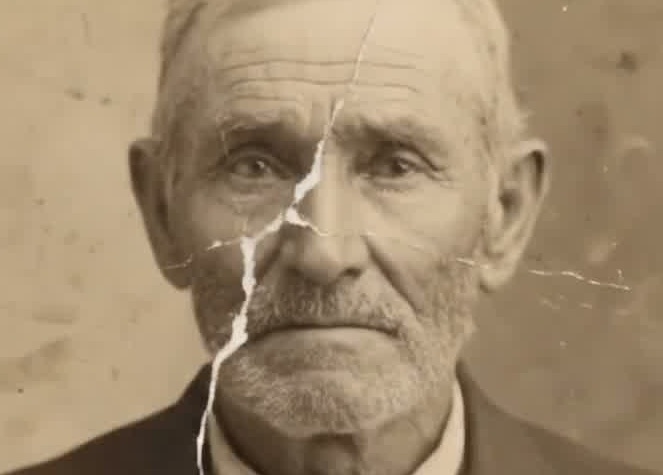
Many viewers on social media have been captivated by that satisfying vintage photo restoration timelapse: a brutal, jagged white tear slashing straight through an elderly grandfather's brow, right eye socket, and tweed collar; yet under the artist's digital brush, the fracture melts away, reviving living catchlights and authentic skin texture. Is historic restoration merely an automated AI filter, or a disciplined digital surgical craft? This masterclass breaks down the five core phases: non-destructive layer architecture, cranial alignment, frequency separation, and gelatin silver tone grading.
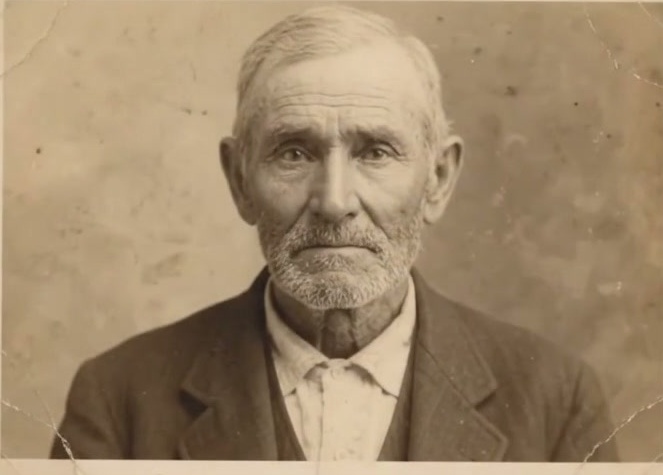
On our studio's social media platforms, we frequently receive curious inquiries from viewers:
"How are those mesmerizing vintage photo restoration timelapses created? (#satisfyingvideo #beforeandafter)" "Watching a massive fracture across a face vanish within seconds—is that authentic digital painting, or an automated AI filter?"
Today, utilizing a 10-second master recording from our studio archive, we invite you behind the easel into Adobe Photoshop. This masterclass deconstructs the surgical workflow of how a heavily fractured heirloom portrait is painstakingly revived in the digital darkroom.
10-second satisfying Photoshop photo restoration timelapse
1. Pathology: Why Do Historic Photographs Suffer Catastrophic Fractures?
Before touching any digital stylus, an archival conservator must conduct a forensic diagnosis of the physical and emulsion layers:
- Lignin Acidification & Paper Brittleness: Vintage albumen and early gelatin silver prints were bonded to thick rag paper mounts. Decades of atmospheric fluctuation, humidity, and oxidation strip paper fibers of flexibility, turning mounts brittle as autumn leaves;
- Shear Stress & Emulsion Spalling: Gelatin photographic emulsions are microscopically thin. When photos were repeatedly folded and stored inside pocket wallets or tin boxes, mechanical shear stresses fractured the emulsion cleanly off, exposing the raw white paper pulp beneath;
- Severe Ocular Disruption: As demonstrated in our featured study, the most devastating trauma is a jagged tear slicing directly through the forehead, brow ridge, ocular socket, and cheekbone, severing corneal catchlights and anatomical continuity.
2. The Core Debate: Why One-Click AI Filters Fail Archival Standards
Automated AI apps promise instant clarity, yet true heirloom conservation firmly rejects blind algorithmic filters:
- The Waxy Plastic Trap: Commercial AI algorithms treat all cracks and tonal variations as digital noise, smoothing over honest skin pores, grandfatherly character lines, and silver grain into a synthetic mannequin;
- Facial Hallucination: When an eye is heavily lacerated, generative AI invents an eye socket synthesized from modern database strangers—erasing the ancestor's true anatomical likeness;
- Loss of Organic Gelatin Silver Patina: The soulful aura of a vintage portrait lives in the microscopic grain and warm tonal decay of antique chemistry. True artisan restoration preserves the authentic breath of history rather than modernizing it into a generic digital snapshot.
3. Master Artisan Workflow: 5 Essential Photoshop Restoration Phases
In the screen recording, Master ABiao demonstrates the time-tested non-destructive digital darkroom protocol:
1. Ultra-High-Resolution Digitization & Base Locking
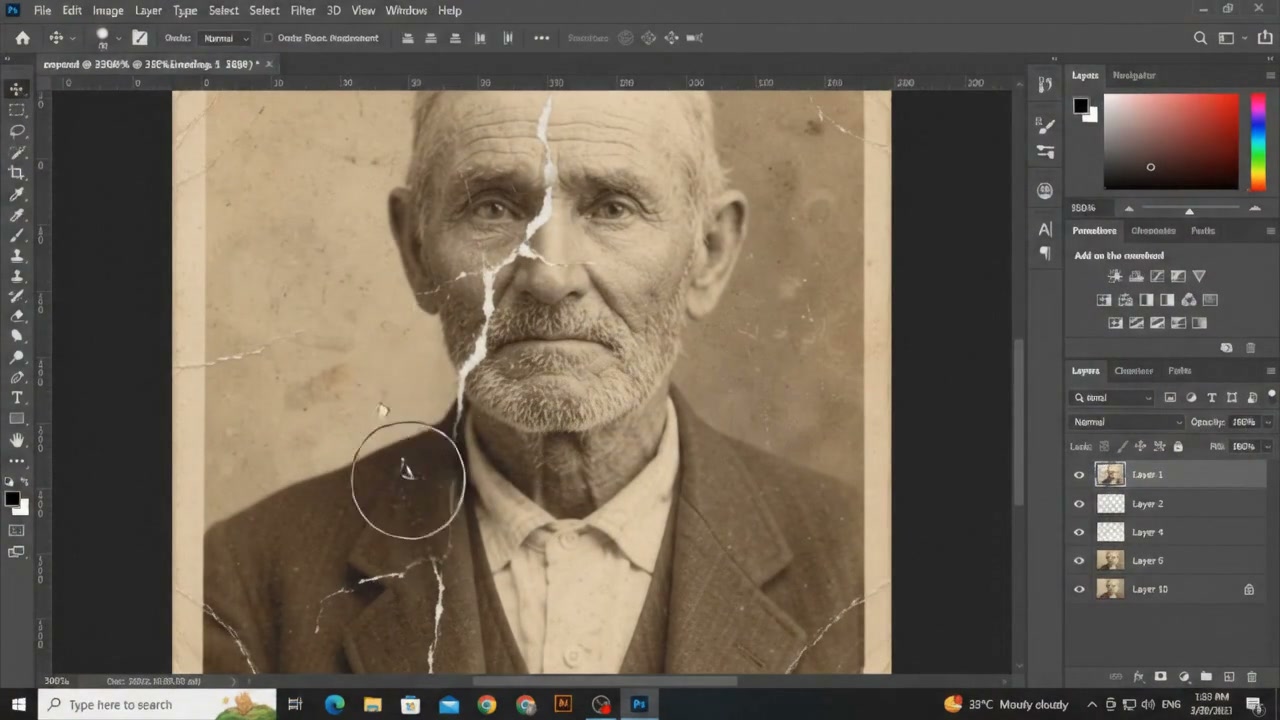
Original artifacts are digitized on 1200+ DPI optical macro reprography systems and imported as 16-bit uncompressed TIFFs. The cardinal rule: The background layer remains perpetually locked and unedited.
2. Non-Destructive Multi-Layer Architecture
As visible in the Layers panel, all healing operations are executed on dedicated blank transparent layers (Layer 1, Layer 2, Layer 4, etc.). The Healing Brush Tool and Clone Stamp Tool are strictly configured to "Current & Below" or "All Layers" sampling. Any stroke can be refined, masked, or erased without ever degrading raw source pixels.
3. Cranial Alignment & Micro-Surgical Feature Realignment
Working under 300% to 500% magnification with a pressure-sensitive stylus:
- The artist samples healthy skin tissue along the orbital contour using soft-edge brushes (0% to 20% hardness);
- Reconstructs the eyelid rim, iris contour, and living corneal catchlight;
- Bridges the tear down through the nasolabial fold and lip commissure, maintaining precise facial symmetry and cranial volume.
4. Frequency Separation for Skin Texture Preservation
How do fractures disappear while silver grain, pores, and silver beard stubble remain intact? We separate the visual data into two frequencies:
- High Frequency: Pores, wrinkles, hair strands, fabric weave, and gelatin grain;
- Low Frequency: Skin tone gradients, shadow transitions, and broad luminosity.
Repairing each frequency independently eliminates unsightly discoloration while preserving authentic organic skin pores.
5. Wool Fabric Weaving & Antique Patina Calibration
As the fissure reaches the collar, the artist hand-aligns the directional twill of the vintage tweed coat. Subtle Curves adjustments and manual Dodge & Burn balance tonal depth, finishing with the gentle warmth of historic silver printing and peripheral paper vignetting.
4. Craftsmanship: An Archival Anchor Against Oblivion
When the artist toggles the repair layer's visibility at the end of the recording (the iconic Before/After reveal), the satisfaction transcends visual aesthetics—it marks the sacred return of an ancestral presence.
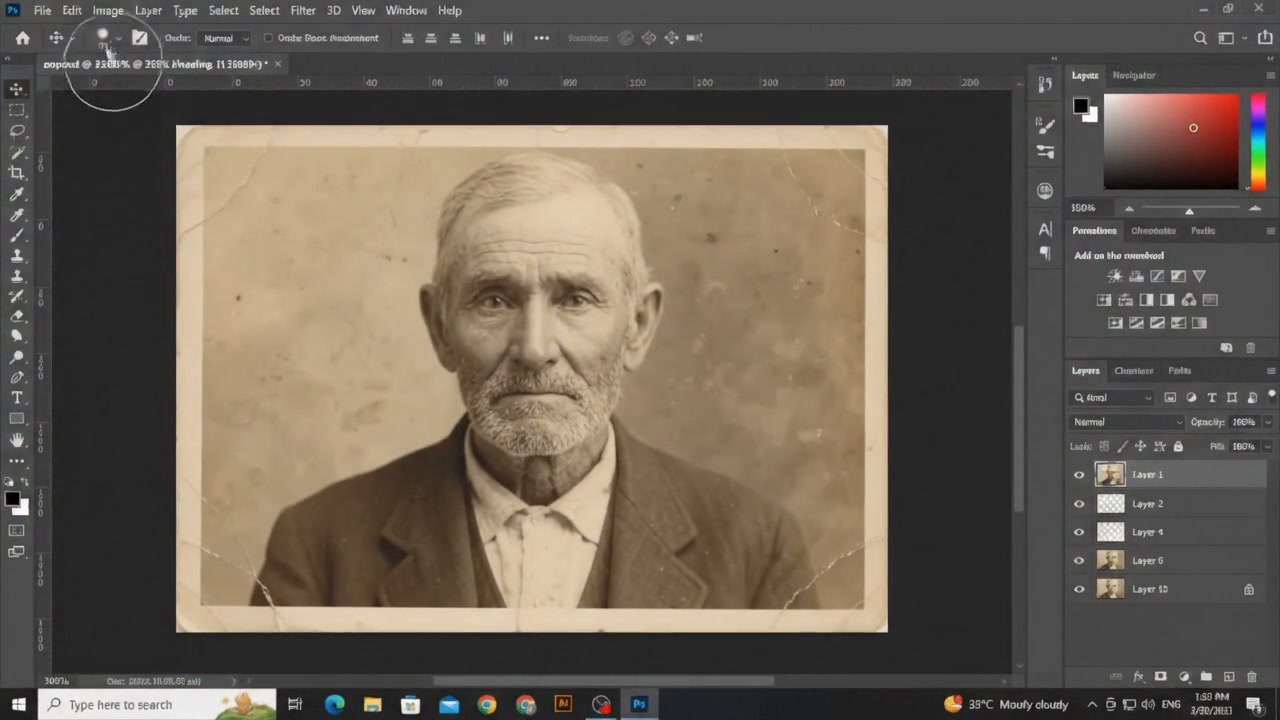
A photograph is the sole physical vessel anchoring our memory of those who loved us. Restoring an heirloom is never about algorithmic shortcuts; it is a reverent pilgrimage undertaken with patience and digital precision—mending the wounds of time so that love and dignity remain eternal.
Reader Discussions & Patron Stories
Authentic thoughts and artistic conversations. The artist personally replies to every patron when taking a break from the easel.
Join the Discussion
Share your thoughts, the story behind your vintage photo, or ask the artist a question. ABiao replies personally.
An extraordinary masterclass demonstration! When teaching digital post-production, my biggest headache is students carelessly stamping directly onto the Background layer or using one-click 'AI scratch removers' that melt faces into plastic wax. Master ABiao's disciplined setup—blank transparent layers, Current & Below sampling, and frequency separation to protect gelatin grain—represents the authentic lineage of digital darkroom craftsmanship. Especially across that severed right eye, moving the corneal catchlight by half a pixel destroys the ancestral soul. Outstanding precision!
As a genealogist archiving late 19th-century immigrant records in Chicago, I have witnessed countless tragedies where precious family heirlooms were ruined by crude automated algorithms. Priceless great-grandfather portraits are often transformed by generic apps into unrecognizable strangers with plastic chins. Seeing Master ABiao manually aligning each woolen twill fiber on the suit collar rather than taking reckless shortcuts brought tears to my eyes. For families tracing their roots, this archival discipline rescues irreplaceable human heritage!
I watched the timelapse at 0.25x speed several times! Around the 3.5-second mark, the brush strokes sweeping along the orbital bone ridge are a textbook masterclass. Many retouchers default lazily to Content-Aware Fill, which leaves an unsightly murky halo along the tear borders; Master ABiao clearly used an ultra-fine radius with disciplined edge feathering, smoothly diffusing neighboring healthy grain across the gap. The final Before/After toggle is pure satisfying artistry!